Put your AI agent
on your own server
Configure it once and the whole team talks to the same agent through Feishu / QQ / browser / terminal. It calls tools, reads and edits files, runs commands and delegates sub-agents — your data never leaves your host.
Install and start xbot on this machine:
curl -fsSL https://raw.githubusercontent.com/ai-pivot/xbot/master/scripts/install.sh | bash 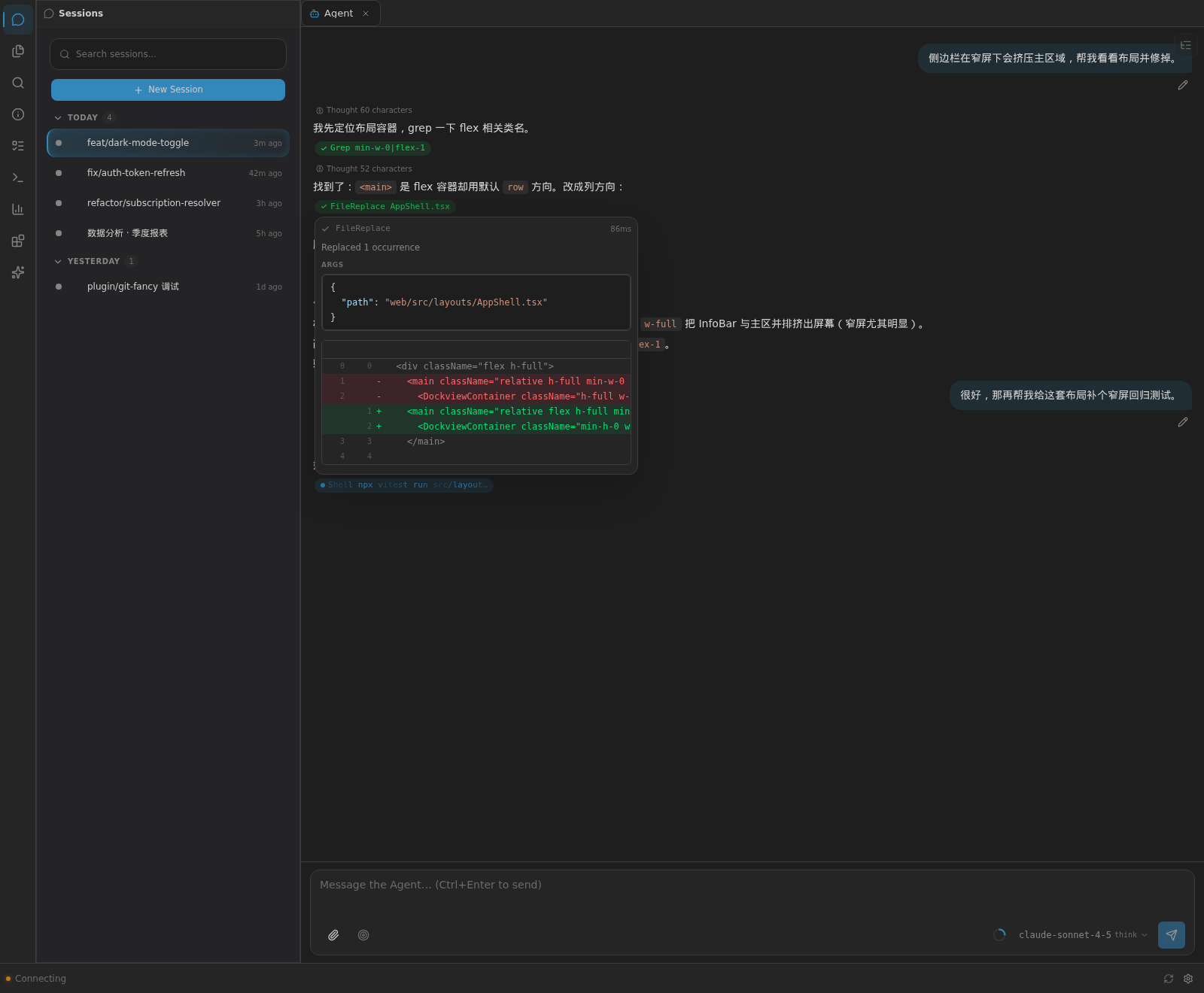
A real session: multi-turn chat · tool calls (Grep / FileReplace / Shell) · per-iteration reasoning · parallel sessions
Why xbot?
Most AI coding agents live in a terminal. xbot doesn't — one agent, every channel.
| xbot | Codex / Claude Code / OpenCode | |
|---|---|---|
| Multi-channel | Feishu · QQ · Web · CLI | Terminal only |
| Shared team LLM | Admin configures once, everyone uses it | Everyone brings their own API key |
| Self-hosted | ✓ Data never leaves your server | ✓ |
| Feishu integration | Docs, Base, Drive, interactive cards | — |
| Sub-agents + group chat | Delegate, parallelize, debate | Sub-agents only |
| Plugin system | Tools, hooks, widgets, channel plugins | Limited |
ImportantThe most common setup: run in server mode → connect a Feishu app → the whole team chats with the bot in a group, no individual API keys required.
Core features
Agent capabilities that work out of the box, plus the engineering details production deployments need.
Shell, file I/O, web search, cron jobs and sub-agent delegation — with per-iteration reasoning and tool results.
The same agent over Feishu / QQ / terminal / browser, with per-session isolation.
Configured once by an admin, used by the whole team — multiple subscriptions, per-model switching and context quotas.
Mouse support, command palette (Ctrl+K), multi-session sidebar and a theming system.
One command to install. SQLite single-file storage — a backup is a file copy.
Skills, sub-agents, the MCP protocol and a plugin system (tools / hooks / widgets / channels).
The agent can reconfigure itself and its UI through the config and tui_control tools.
Plugins can produce shareable panels and mint public links — only explicitly shared content gets a token.
Which channel should I use?
One agent core, four ways in — pick whatever fits your workflow.
For developers: full TUI, streaming output, tool calls.
For teams: chat in a group, interactive cards and doc integration.
For anyone with a browser: sign-up / login, invite-only, mobile-friendly.
For individuals and small groups, via NapCat.
Other ways to install
Windows: irm https://raw.githubusercontent.com/ai-pivot/xbot/master/scripts/install.ps1 | iex
·
Behind the GFW: curl -fsSL https://ghfast.top/https://raw.githubusercontent.com/ai-pivot/xbot/master/scripts/install-cn.sh | bash
Then open http://localhost:8082 → create an account → gear icon → LLM → base URL / API key / pick a model → chat.
Optional flags (the defaults are usually what you want) and every config key → Install & configure.
Executable install guide for AI agents (assertable steps, headless LLM setup, troubleshooting) → Agent install guide. The installer prints that URL as its final output, so an agent given the prompt above knows what to read next.
Architecture
The backend is a pure RPC client interface (zero business logic); the transport layer does the real work.
tools/
memory/
skills/
plugins/Read the full architecture overview.
Community
Questions, feature requests, or just want to chat.